If you are searching for Google Block Breaker, you are probably looking for a quick browser game that can be played without installing a separate application. Google’s Block Breaker is a modern take on the classic brick-breaking arcade formula: you control a paddle, bounce a ball into blocks, clear the screen, and try to keep the ball from getting past you.
The game became part of Google Search’s collection of built-in games in January 2025. Reports at the time described it as an interactive game card that appears when users search for “Block Breaker,” with gameplay available directly in the browser.
Unlike many downloadable games, the appeal here is immediate access. There is no lengthy tutorial, complicated character system, or large installation. You can simply search, play, and stop whenever you want.
What Is Google Block Breaker?
Google Block Breaker is a browser-based arcade game inspired by the traditional brick-breaker concept. The basic objective is straightforward: use a horizontally moving paddle to keep a bouncing ball in play while destroying blocks positioned above it.
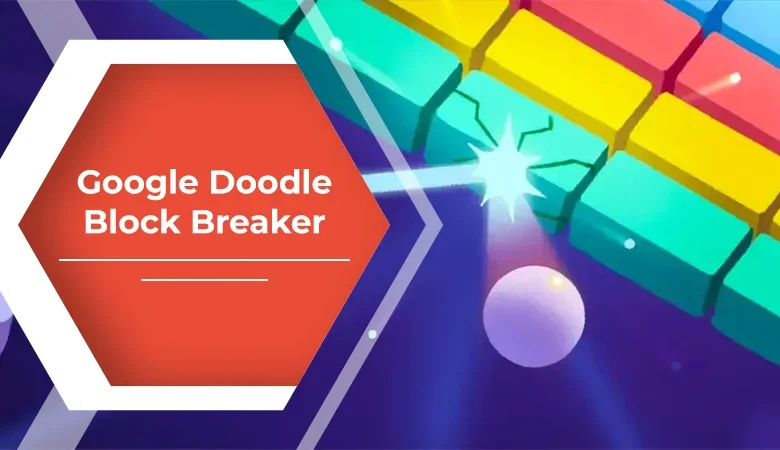
Google’s version adds a few modern touches to the familiar formula. According to contemporary coverage, the game uses Google’s familiar blue, red, yellow, and green visual palette, while certain blocks can introduce gameplay effects such as additional balls, an extended paddle, TNT, and dual blasters.
The result is a game that feels recognizable to anyone who has played classic Breakout-style games while still offering enough variation to make successive rounds interesting.
How to Play Google Block Breaker
Getting started is intentionally simple.
1. Search for the Game
Open Google Search and enter “Block Breaker”. Google’s interactive game card has been reported to appear directly in the search results.
The exact appearance or availability can vary depending on the device, region, account, or current Google Search experience, so it is worth remembering that search features can change.
2. Start the Game
Select the play option displayed in the interactive result. The game opens directly in the browser rather than requiring a traditional installation.
3. Control the Paddle
Your main job is to move the paddle underneath the ball.
On desktop, the game supports left and right arrow-key controls. On mobile devices, players can move the paddle through touch-based interaction.
The important part is timing. Moving too early can put the paddle away from the ball, while reacting too late can cost you a life.
4. Break the Blocks
Every successful bounce sends the ball back toward the block formation. As blocks disappear, the ball can travel through different angles and become harder to track.
The goal is to clear the available blocks while maintaining control of the paddle.
Why the Game Is More Interesting Than It Looks
At first glance, a brick-breaking game can seem almost too simple. However, its simplicity is precisely what makes it convenient for short sessions.
You do not need to learn a complex control scheme. There are no extensive menus to understand before starting. The basic gameplay can be understood within seconds.
Google also added elements beyond ordinary bricks. Contemporary reporting noted that certain blocks can provide effects such as extra balls, a longer paddle, TNT, and dual blasters.
These additions introduce a small strategic element. Instead of simply watching the ball bounce, you begin thinking about which parts of the formation are most useful to hit and how your next bounce might develop.
Google Block Breaker vs. Traditional Brick-Breaking Games
The core concept is familiar, but the experience differs depending on what you want from a game.
| Feature | Google Block Breaker | Traditional Brick Breaker |
|---|---|---|
| Access | Browser/Search | Often an app or dedicated game |
| Installation | Not normally required | Often required |
| Controls | Keyboard or touch | Depends on the game |
| Gameplay | Paddle, ball, blocks | Usually similar |
| Session length | Convenient for quick sessions | Varies considerably |
| Extra mechanics | Includes special block effects | Depends on the title |
The biggest advantage of Google’s version is convenience. It is designed around immediate play rather than a large standalone gaming experience.
Practical Tips for Better Scores
Playing well is less about frantic movement and more about controlling the paddle intelligently.
Watch the Ball’s Angle
Do not focus only on where the ball is now. Pay attention to the direction it is traveling. This gives you more time to position the paddle.
Avoid Constant Movement
Moving the paddle back and forth without a reason can make your reactions less precise. Small, deliberate movements are usually easier to control.
Think About the Rebound
Where the ball hits the paddle influences where it travels next. Learning to anticipate these rebounds can help you keep the ball active for longer.
Take Advantage of Special Effects
When a special block creates an additional ball, expands the paddle, or introduces another effect, use the opportunity carefully. Multiple moving objects can increase the number of blocks you destroy, but they can also make the screen more difficult to track.
Stay Patient
The game becomes more challenging as you progress. Trying to react to every movement at the last possible moment can lead to mistakes. A calmer approach gives you more time to read the ball’s trajectory.
A Simple Example of Gameplay Strategy
Imagine the ball is moving toward the right side of the screen and is expected to return toward the lower-right corner.
Instead of waiting until the final moment, move your paddle gradually toward that area. Once the ball approaches, make small adjustments to keep it aligned.
Now suppose the rebound sends it toward the left. Rather than immediately moving the paddle to the extreme left edge, watch its trajectory and position yourself based on where the ball is actually heading.
This simple habit—predicting instead of chasing—can make the game feel much easier.
Is Google Block Breaker Worth Trying?
For someone looking for a quick casual game, it is certainly worth trying. Its biggest strength is accessibility. Google Search already provides the starting point, and the familiar brick-breaking mechanics require almost no explanation.
It is particularly suitable when you have only a few minutes available and want something interactive rather than a long gaming session.
It is not intended to replace a full-featured arcade game with extensive progression, customization, multiplayer systems, or a large campaign. Instead, its appeal comes from being quick, uncomplicated, and immediately playable.
Google Block Breaker and the Classic Breakout Formula
The game’s concept belongs to a much older arcade tradition. The basic paddle-and-ball format has been used in countless brick-breaking games, but Google’s interpretation keeps the formula accessible.
What makes the experience distinctive is its placement inside Google Search. Rather than asking users to discover and install a dedicated title, Google turns a simple search into an opportunity to play.
That approach fits the broader idea behind Google’s interactive search experiences: useful or entertaining features can sometimes be available directly from the search interface.
FAQs
Is Google Block Breaker free to play?
The Google Search version is designed as a built-in browser experience rather than a conventional paid game. Availability and presentation can change as Google updates its Search features.
How do I find Google Block Breaker?
Search for “Block Breaker” on Google. The game has been reported to appear as an interactive result with a Play option.
Can I play Google Block Breaker on mobile?
Yes. Contemporary reporting indicates that the game is available through mobile web experiences, with touch controls for moving the paddle.
Can I play it on a computer?
Yes. Desktop play has been reported, with left and right arrow keys used to control the paddle.
Is Google Block Breaker the same as every app called “Block Breaker”?
No. There are numerous independently developed games named Block Breaker on Google Play, and their mechanics can differ substantially. For example, some use a traditional paddle-and-ball design, while others are tile or block puzzles.
Does Google Block Breaker require a download?
The Google Search version is designed to run directly in the browser, so a separate game installation is not the normal starting point.
Read More: BetterThisWorld Money: Practical Money Management
Conclusion
Google Block Breaker offers a simple answer for anyone who wants a quick arcade experience without committing to a large game download. Its paddle-and-ball mechanics are easy to understand, while special blocks and changing formations add variety as you progress.
The real attraction is convenience: search for the game, start playing, and enjoy a familiar arcade formula almost immediately. Whether you remember classic brick-breaking games or are discovering the format for the first time, Google’s version provides an uncomplicated way to enjoy a few minutes of gameplay.